Junior Pros
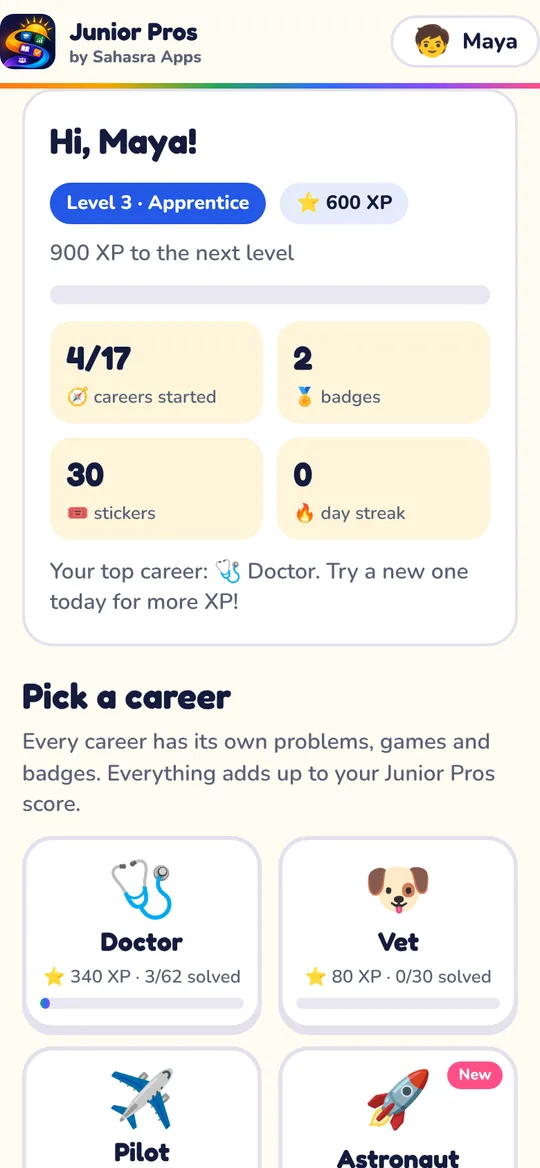
Career games for kids: 17 careers, from doctor and vet to pilot, chef, coder and astronaut. One profile, one score, badges and stickers in every career.
Open Junior ProsLearn more about Junior Pros Sahasra Apps

Simple apps for curious minds.
Free learning games for kids. Junior Pros has 17 careers to try, from doctor and vet to pilot, chef, coder and astronaut. No ads, no sign-up.
One app, every career. Pick one to start playing. No sign-up needed. More careers and apps are on the way.
Career games for kids: 17 careers, from doctor and vet to pilot, chef, coder and astronaut. One profile, one score, badges and stickers in every career.
Open Junior ProsLearn more about Junior ProsReady in under a minute.
Made by a parent, with children's privacy first.
Add an app to the home screen and it opens full-screen, like an app from the store.
Yes. There are no payments, no in-app purchases and no ads.
They're made for kids about 6 to 11. The Doctor career also has learning levels from Kindergarten to Grade 8 that adjust as your child plays.
No. Your child types a first name and starts. There are no emails, passwords or logins.
In the browser on your device. Nothing is sent to us. Clearing the browser's data for this site erases it, so use a save code or backup to keep it safe.
Open the Parents page and make a save code. Scan its QR code with the other device, or type the code. A grown-up can also turn on the optional cloud save.
Yes. The apps work in any modern browser, and keep working offline after the first visit.
Yes. Each child picks their own profile on the “Who’s learning today?” screen.
The Doctor career can be played in English or Spanish. The other careers are in English for now.
Yes. There are no logins to manage, the School section has printable certificates and posters, and children can take their progress home with a save code.